RashTools
    Back to blog
    Utility

    How to Send Large Files Online Free (Up to 2 GB, No Signup)

    Share videos, RAW photos and design assets up to 2 GB with a single expiring link — no email attachment limits, no account needed.

    How to Send Large Files Online Free (Up to 2 GB, No Signup)

    Email attachments still cap out at 25 MB on Gmail and 20 MB on most corporate inboxes, but the files people actually need to share in 2026 — a 4K screen recording, a RAW photo shoot, a Figma export, a full-resolution PDF portfolio — routinely land somewhere between 100 MB and 2 GB. The gap between what you can attach and what you actually want to send is exactly why every freelancer, agency and remote team ends up looking for a fast, no-signup file transfer service.

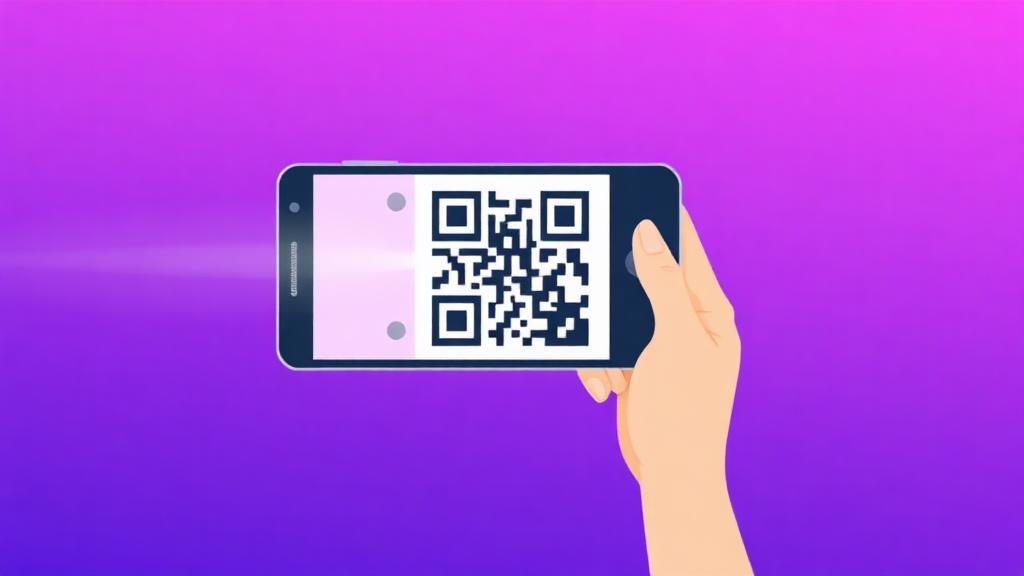
    The File Transfer tool on Rash Tools handles files up to 2 GB with nothing more than a drag-and-drop. Small files under 100 MB go into fast Lovable Cloud storage; anything larger is streamed to a dedicated VPS storage endpoint so uploads stay quick even on gigabyte-sized videos. You get back a short share link (plus a scannable QR code) that the recipient can open on any device without an account.

    Before you upload, pick an expiry window that matches the sensitivity of the file. One hour is enough for a live client review, 24 hours for a design handover, and 7 days for anything the recipient might need to come back to. For confidential work, add an optional password on the upload screen — the link is useless without it, so you can share it publicly in Slack or WhatsApp and only reveal the password in a separate channel.

    If your file is bigger than the 2 GB per-transfer limit, do a quick pass through the right compressor first. Video files shrink dramatically with the Compress Video tool, scanned PDFs with Compress PDF, and audio masters with Compress MP3 or Compress WAV. You can also split very long PDFs with Split PDF or trim unused footage with the Video Trimmer before uploading, both of which typically cut the transfer in half.

    Because everything is link-based, File Transfer is also the cleanest way to send files to yourself between devices. Upload from a laptop, scan the QR code with your phone, and the file downloads directly — no cables, no cloud sync account and no waiting for a sync client to notice the new file. For most one-off transfers this is now faster than logging in to Google Drive or Dropbox on both ends.
    Try the tool

    File Transfer

    Share videos, RAW photos and design assets up to 2 GB with a single expiring link — no email attachment limits, no account needed.

    Open File Transfer

    Frequently asked questions

    What is the maximum file size I can send with File Transfer?

    Up to 2 GB per file. Files under 100 MB go to fast Lovable Cloud storage; anything bigger is streamed to a dedicated VPS storage endpoint so a 1.8 GB video uploads just as reliably as a 20 MB PDF.

    Do I need to sign up or create an account to send a file?

    No. Drag the file in, pick an expiry, hit Send and you get a short link plus a QR code. No email, no signup, no watermark on the download page.

    How long does the download link stay active?

    You choose at upload time: 1 hour, 6 hours, 24 hours, 3 days or 7 days. When the expiry passes the link stops working immediately and the file is deleted from storage.

    Can I password-protect a shared file?

    Yes. Add an optional password on the upload screen and the download page will refuse to serve the file until the recipient types it in. Share the password on a separate channel (SMS, Signal, phone call) for a proper two-factor share.

    Is the transfer encrypted?

    Yes. Uploads and downloads run over HTTPS end-to-end, and files at rest sit in access-controlled storage buckets with expiring signed URLs. No one who does not have the link (and the password, if set) can reach the file.

    How is this different from WeTransfer or Dropbox Transfer?

    WeTransfer's free tier caps at 2 GB but shows ads and requires an email. Dropbox Transfer needs a paid account for real limits. File Transfer gives you the same 2 GB ceiling, optional password and expiry, all for free with no account and no ads.

    My file is bigger than 2 GB — what should I do?

    Shrink it first. Compress Video routinely cuts videos 60-80%, Compress PDF handles heavy scanned documents, and Compress MP3 / Compress WAV take care of audio. You can also split long PDFs with Split PDF or trim unused footage with the Video Trimmer before uploading.

    Can the recipient preview the file before downloading?

    The download page shows the file name, size and expiry so they know what they are getting, but the actual file is only fetched when they click Download. Nothing is streamed automatically.

    Does the recipient need any software to open the link?

    No — just any modern browser on any device. The link works on iOS, Android, Windows, Mac, iPad and ChromeOS with no app install.

    Can I revoke a link before it expires?

    Setting a short expiry (1 or 6 hours) is the simplest way to limit exposure. For sensitive transfers, combine a short expiry with a password so even if the link leaks it is useless without the second factor.

    Related articles